Perch speaks Slovak

Your reminders,
one keystroke away.

Adding a reminder means leaving what you’re doing. Perch keeps your Apple Reminders a hotkey away, so a task takes a sentence instead of a detour.

Requires macOS 26 or later.

Perch open below the menu bar of a MacBook, listing today’s overdue reminders next to the Apple Reminders window holding the same list.

How Perch works

Not another list.
The one you already keep.

Perch sits in your menu bar, on top of your Apple Reminders. It’s the same list, but in closer reach.

  • Hotkeys

    In and out without losing focus.

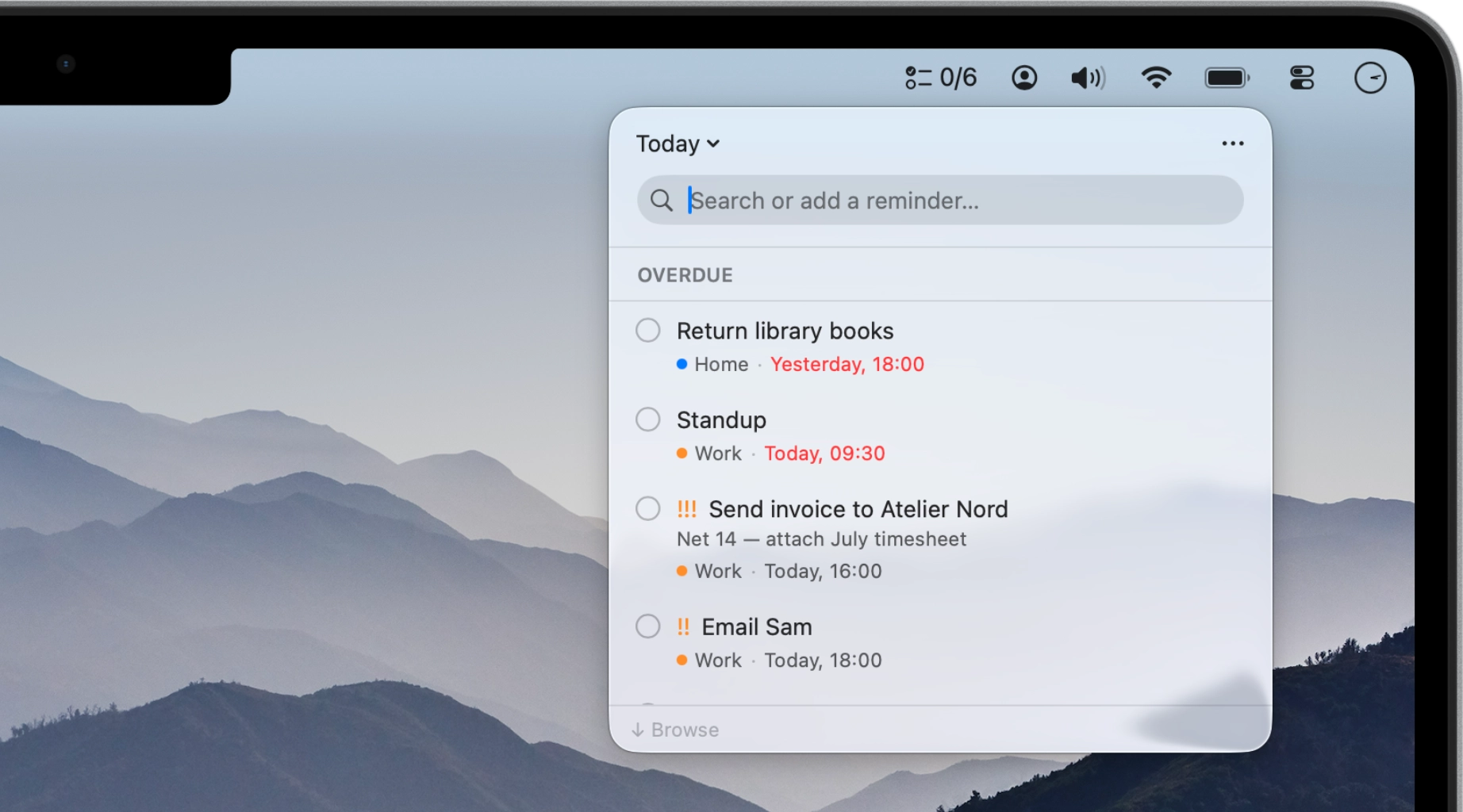
    Perch has no window to find and no app to switch to. Press Space and the panel drops from the menu bar over whatever you’re doing; press Esc and it’s gone, with your work exactly where you left it.

    The Perch panel under the menu bar, scoped to Today: a search field and today’s overdue reminders, each with its list and time.
  • Quick entry

    Type it the way you’d say it.

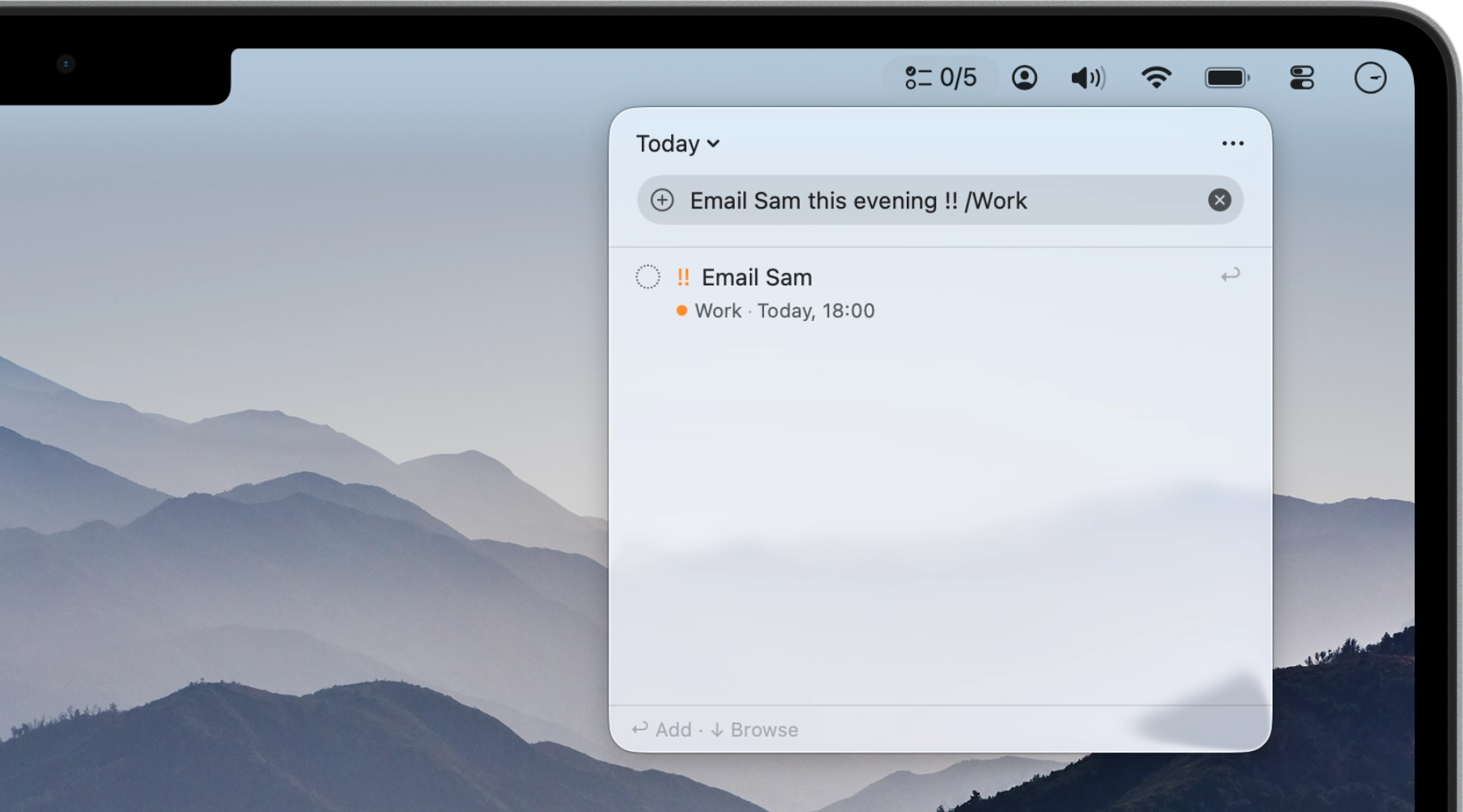
    Reminders is a fine place to keep a task but a slow place to add one. With Perch you can write “Email Sam tomorrow at 9am” and it picks up the date and time straight from the sentence.

    The Perch panel with “Email Sam tomorrow at 9am” typed into the field, and the reminder below showing what Perch read from it: Email Sam, tomorrow at 09:00, with “Press ↩ to add” beneath.
  • Menu bar

    See it without opening it.

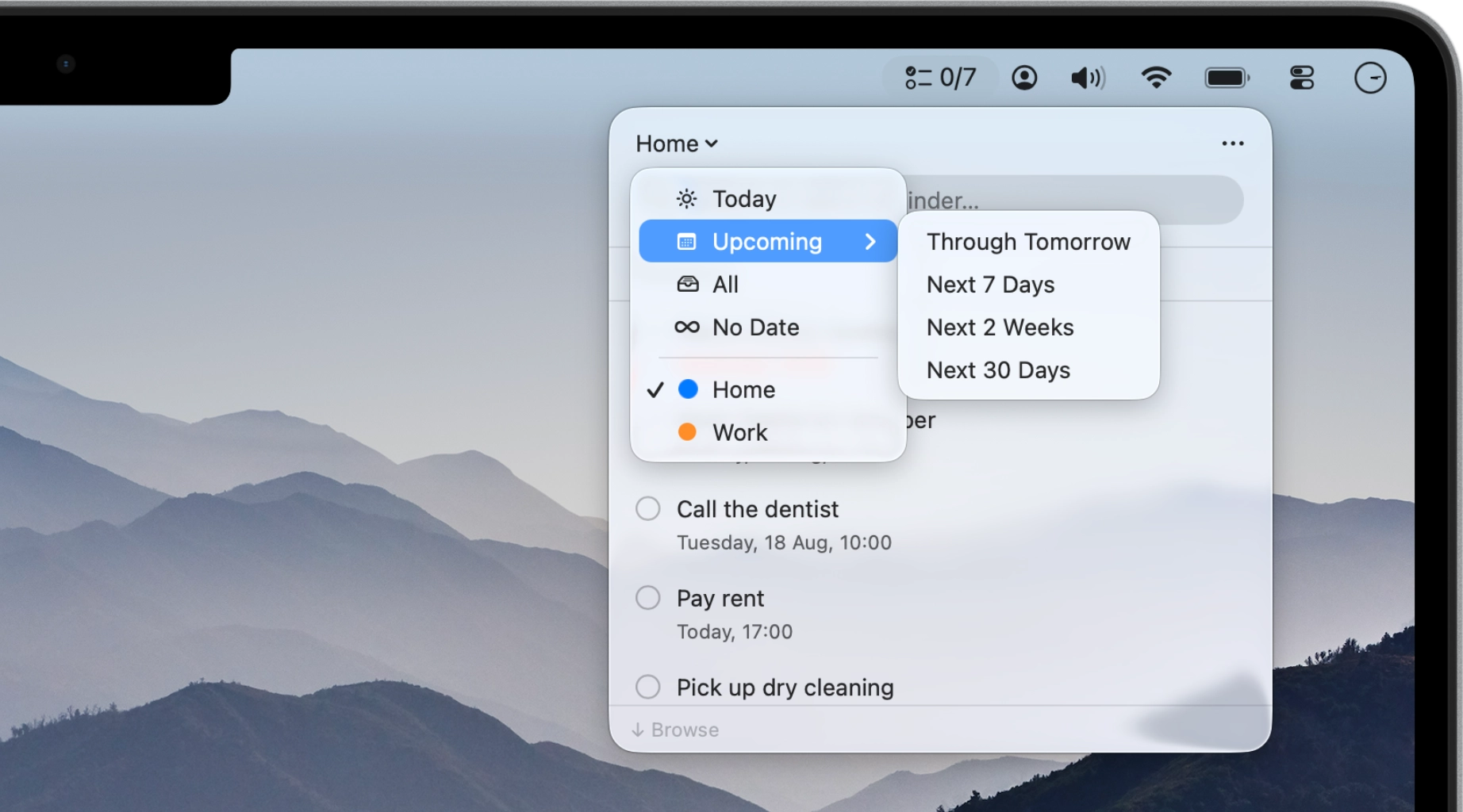
    A live count shows what’s due today, or the next thing itself if you’d rather read it than count it. When you open the panel, you’re right where you left off: Today, Upcoming, All, No Date, or any of your task lists.

    The Perch panel with its scope menu open: Today, Upcoming, All, and No Date above the user’s own Reminders lists.
  • Sync

    It’s still Reminders, just faster.

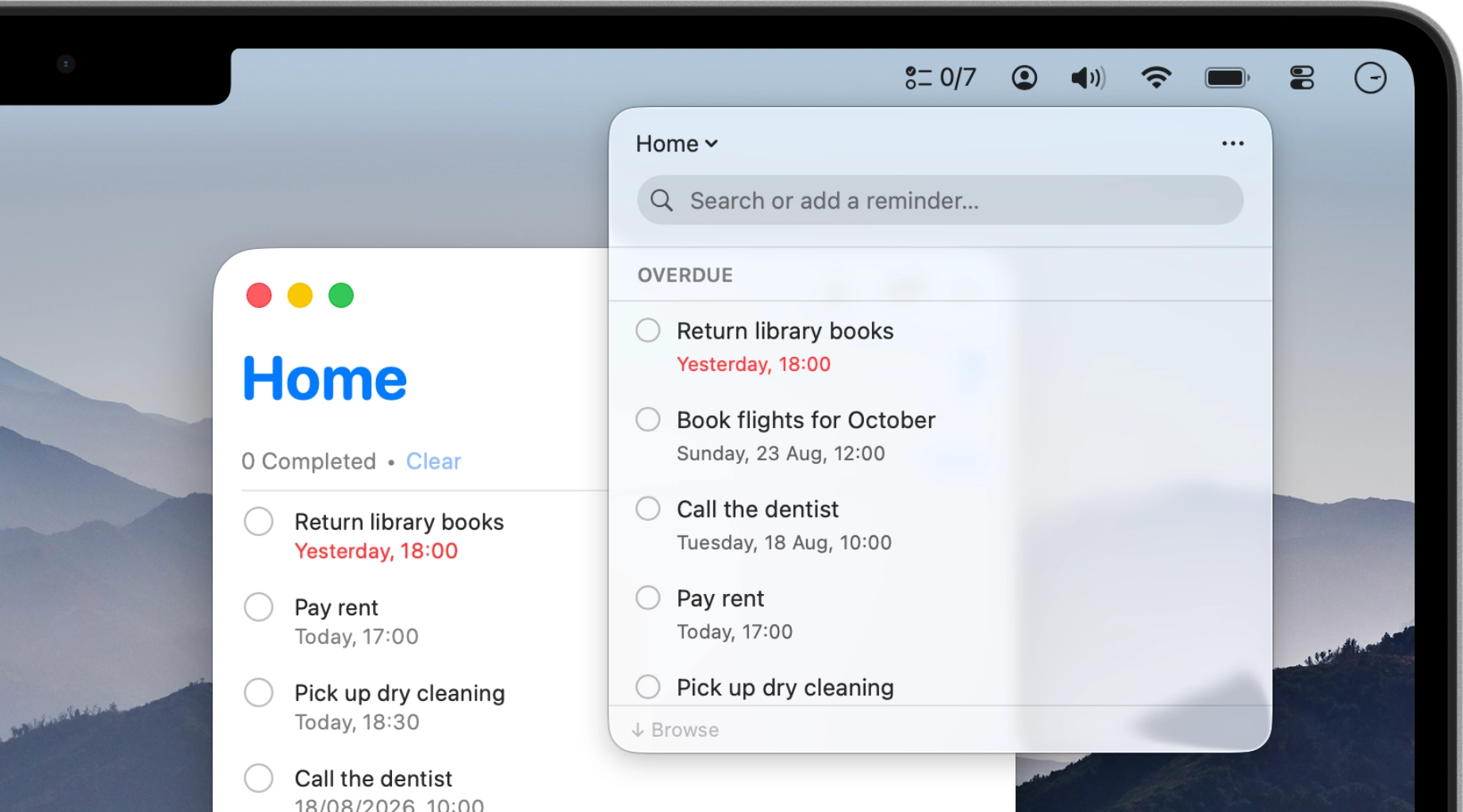
    Perch is the door into the reminders you already have, not a copy of them. Check something off here and it’s checked off in Reminders on your Mac, iPhone, and iPad. Nothing to import and nothing to reconcile.

    The Perch panel scoped to the Home list, floating beside the Apple Reminders window that holds the same list, with the same reminders in both.

The rest of Perch

It respects how you work.

Your hands stay on the keyboard, the list falls into your order, the words come out in your language, and none of it goes anywhere but your Mac.

  • Keeps you on the keyboard.

    The same field searches as you type. Arrows to move, Space to complete, Z to undo a mis-tap. The mouse is optional. See Shortcuts

  • Falls into your order.

    Some days you scan for what’s due, some days for what matters. The order and the scope are yours: switch them whenever your day does.

  • Speaks your language.

    Perch is currently in eleven languages. Write a reminder the way you’d say it in English or Slovak, and the date comes along. In any other language, writing the day plainly is enough.

  • Sends nothing anywhere.

    No account, no analytics, no network connections of any kind. There’s nothing to opt out of, because I never built anything to collect.

And many more with every release. See what’s new

Good questions.

No. Perch reads and writes the same reminders that Apple Reminders does, so anything you add in Perch shows up in Reminders. There is nothing to import and nothing to keep in sync.

Yes, through iCloud, exactly as they do already. Perch doesn’t run a sync service of its own, so nothing about the way your reminders travel between devices changes. Apple’s guide to using Reminders covers the setup.

Yes. A reminder with a time alerts at that time, on every device. The alert comes from Reminders, so Perch doesn’t need to be running. Location alerts made in Reminders keep working, but Perch can’t create them just yet.

Perch needs access to your Reminders so it can show, add and edit your existing lists on your Mac. That access is on-device only. If you decline, Perch can’t display your reminders.

No. Perch requires no account and makes no network connections. Your reminders never leave your Mac except through your own iCloud sync. More in the Privacy policy.

€2.99 or whatever that tier costs where you are. You buy Perch once and it’s yours. I don’t do subscriptions: there’s no account, and nothing to buy inside the app.

Perch’s interface is available in eleven languages, and it reads dates and times in yours. Keywords like “every Tuesday” work in English and Slovak so far; more are on my list. In other languages, type the date as numbers and Perch picks it up.

No. Apple currently doesn’t let third-party apps show or add subtasks and flags. Only Apple Reminders can do this. The day Apple opens that up, I’ll add them.

Something else on your mind? Send me a note

Michael Djibril

From the maker

Made by one person.

Hi, I’m Michael Djibril. Perch is a one-person project: I design it, build it, and answer every email myself, from Bratislava, under the name so & so.

I made it because adding a reminder kept pulling me out of whatever I was doing, and none of the fixes felt native enough. Perch is the app I wanted on my own Mac first, and I use it all day, every day. That is the best assurance I can give you that it will keep getting better: when something is off, I’m the first to feel it.

If Perch does something odd, or you wish it did something it doesn’t, write to me. You’ll get me, not a ticket queue, and notes from people who use it decide what I build next.

Get Perch.

Download Perch, press Space, and type the thing you were about to forget. Your reminders are already there.

Requires macOS 26 or later.